
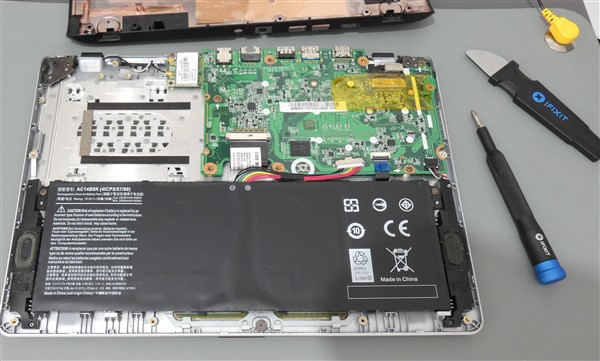
Welcome to this first blog in a six part series highlighting the services Tech Advice offers. Today I am going to look at Repairs & Upgrades.
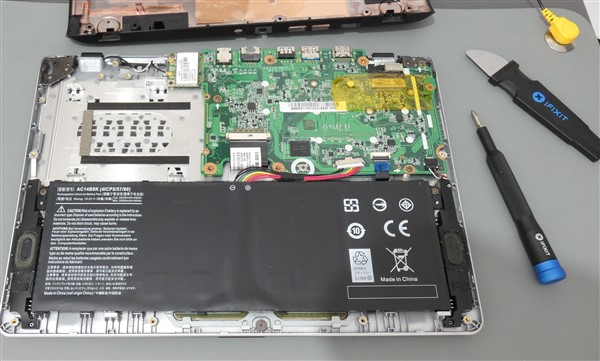
(Image by Seán Nikken)
Repairs and upgrades can be distinguished by the fact that a computer can work without an upgrade whereas it may not work, or work very poorly without a repair. If you are unsure about which one your computer needs, feel free to contact us using the information found here.
Unlike upgrades, which are generally straightforward and rarely deviate from computer to computer, repairs can range from fixing a loose screw on the outside to completely dismantling a computer/laptop to fix a part at the back. This is why the price of a repair can vary wildly from case to case, despite something appearing simple to fix it can require a lot of effort and time just to reach that one little wire or screw in the back of the computer. At Tech Advice we will try to be upfront about any issues that may cause a large cost giving you the option to wait or weigh up your options. I would, however, recommend that if a serious issue is found that you get it fixed as soon as possible. While we prefer to carry out repairs at our office, we can arrange to preform a repair at your home/business, however be aware that repairs can take time and your patience may be needed depending on the complexity of the issue and how the computer was made.
Generally, upgrades tend to be quality of life changes to your computer’s hardware and can be easily mistaken for repairs as they can fix certain issues such as slow start up speeds, lack of storage space, and general sluggishness. The most common upgrades involve adding more RAM and changing your hard drive from a mechanical hard drive to a solid-state hard drive (SSD), or to a hard drive with more storage space.
(Image by Seán Nikken)
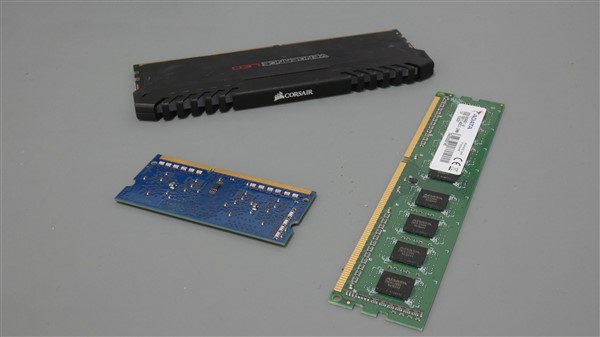
RAM is becoming less important nowadays especially for basic users (i.e. only using the computer for browsing the internet) as most decent laptops and computers have at least 8GB of RAM installed, however, older laptops in particular are struggling to keep up with Windows 10, and soon Windows 11 making an upgrade to 8GB of RAM at the very least a good idea, but not always essential. In addition some pieces of software such as videogames, and multimedia editing software require more RAM than 8GB to function at their best compared to the likes of Google Chrome or Microsoft Word.
(Image by Seán Nikken)
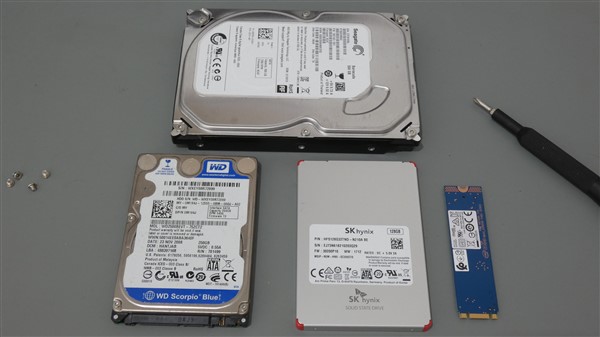
Plenty of RAM is all well and good, but if you have been using the same hard drive for the last few years it is likely starting to get very slow, especially if you are using Windows 10, and even more so if you regularly run intensive software such as video games or multimedia design software (e.g. Adobe Photoshop). In addition some newer laptops are still using cheaper and slower hard drives which have a tendency to get slower over time regardless of how full they are. SSDs are significantly faster, and more importantly they are becoming cheaper in recent years making them a great way to speed up your computer. SSDs come in three distinct form factors. 2.5 inch SATA SSD (faster than a regular hard drive, and the most common and cheapest), the M.2 NVMe form factor (faster and gaining popularity in laptops), and the PCIe form factor (fastest, and the most expensive but only available for desktops). Don’t worry about the technical specifications, we can help you choose the right one for your device as we check for viruses and compatibility (which can also slow down a computer) and calculate how much storage space you will need.
Before I finish I want to point out some important information about the above services and Tech Advice in general.
- Having a repair or upgrade performed on your system will void any warranty that you got with the device. These warranties usually expire after a year or so after buying the item so older devices will likely be outside of their warranty already.
- The cost of any parts used is included in the price paid after the repair/upgrade.
- It is highly recommended that you backup any valuable documents, pictures or other content that you have stored on your device before getting it repaired or upgraded as this is outside of the service we provide, we can however talk you through how to back up your data.
- Sometimes we may give you the option of having second hand parts installed to reduce the cost of a repair. In these cases we try to use parts that work but sometimes they may not, or may stop working after a short period of time, we will approach these situations on a case by case basis and either perform a discounted/free repair or provide a refund to cover the cost of a new part.
- Currently we cannot repair or upgrade Apple devices, smartphones, or tablets. We are currently looking into changing this and we will provide an update on our social media platforms when/if this happens.
- Just a reminder, Tech Advice does not have an office/shop that is open to the public so even if you know where the office is there is no point in calling as you will be told to call/e-mail instead.
In conclusion, I hope this article has informed you to a better degree on the repairs and upgrades services provided by Tech Advice. If you have any questions feel free to contact me through social media or using the options on the Contact Information page of this website. If you have any suggestions for future blog articles you can post them in the comments of this article or in the comments of the related Facebook post.
 Tech Advice
One thought on “Repairs & Upgrades”
Comments are closed.