

Hello and welcome to another Tech Advice blog article. Today I am going to look at the different types of Cybersecurity software and make suggestions as to whether you need some, or all of them.
The types that I am going to look at are: Anti-Virus, Anti-Malware, Firewalls, VPNs, and Password Managers.
Anti-Virus:
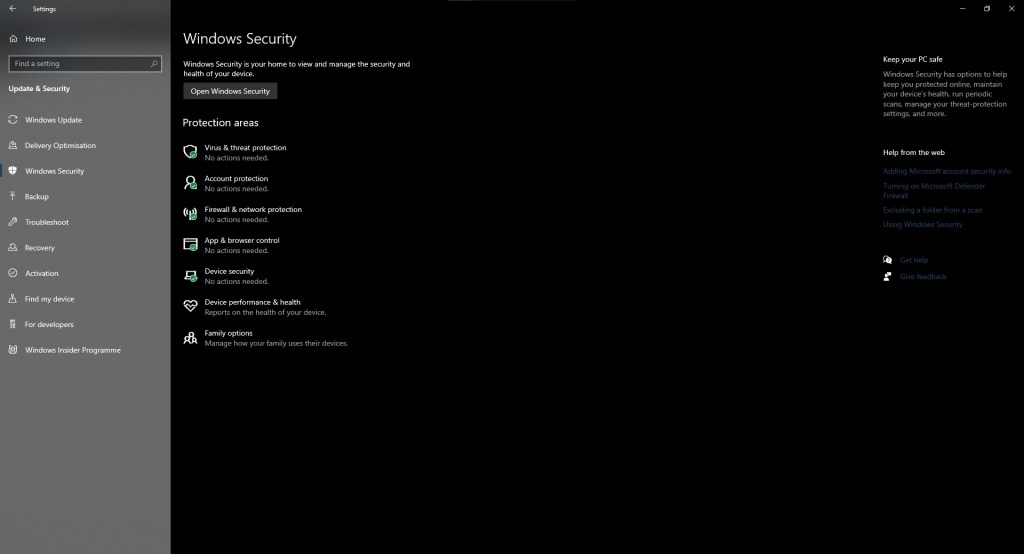
Let’s start with Anti-Virus software. As the name suggests, this software protects against viruses (only the digital kind unfortunately) and requires either the device or specific folders/files to be scanned to detect viruses. Thankfully, this can be automated to run at a given time such as every Sunday evening at 17:00. This is usually promoted by the software, and I would highly encourage you to do so. An Anti-Virus can also be used to remove most common viruses and quarantine infected files as long as the software is updated regularly. An example of this software is Windows Security, formerly Defender, it comes preinstalled on all Windows computers and can be effective enough for low-risk usage, i.e., casual internet usage in the home.
Anti-Malware:
This type of cybersecurity software specifically targets malware. Just a quick note that malware is also the umbrella term for a variety of threats that includes both viruses and malware, as a result many cybersecurity packages include both. As a threat, malware specifically targets or mimics software, this is one of the reasons why Windows asks for permission and double checks that the software is trustworthy when you install a new piece of software. My advice would be to only download from the source of the software and avoid middlemen websites; for example, if you want to download Google Chrome, go to the Google Chrome homepage and not a website that also lets you download other software unrelated to Google in general. There are exceptions to this but for casual users it is best to play it safe.
If you have an up-to-date anti-malware program on your device it will scan new downloads and software to make sure it is safe, if it is not it will step in and stop the process, if this happens let it do its job unless an independent professional, or simply someone who knows what they are doing, tells you otherwise (people on the phone from your “bank” or who are telling you that there is a “problem with your computer” are neither and want you to download malware to clean out your bank account, the correct term for these people is “Scammers”, or “Cybercriminals”, or “Insert Expletive”). Examples of Anti-Malware software are (Not sponsored): Malwarebytes, and Avast (Contains all the cybersecurity tools listed above).
Firewall:
In cybersecurity there are two types of firewalls, the hardware kind, and the software kind. The hardware kind is a box that is connected to the router or modem. A firewall acts like a metal detector at an airport, scanning everything that wishes to access your router/modem to catch any threats before they reach your computer and other connected devices.
The software type does the exact same thing, but it only protects the device that it is installed on. Firewalls are primarily used to stop hackers accessing your device. Most premium anti-virus/malware programs include a software firewall.
VPNs:
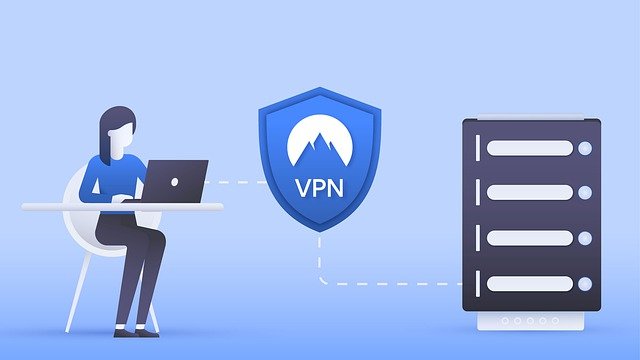
A VPN, or Virtual Private Network, is a software-based cybersecurity solution. A VPN encrypts your connection before accessing the internet. This type of connection can also be set to show that you are in a different location than you currently are. The three primary reasons for using one are: accessing a secure company computer from home; wanting to browse the internet privately without your ISP logging everything; tricking streaming software like Netflix into thinking you live in a different country to access other content. The first two are legitimate uses of VPNs, the other one is at best a breach of the terms of service for such sites, and at worst can lead to a permanent ban from the platform if discovered. VPNs are usually purchased separately from other pieces of software, despite the existence of free ones (these are completely useless). Popular brands include (Not sponsored): NordVPN, and Tunnel Bear, in addition most popular anti-virus suites provide them at an additional cost.
Password Manager:
A password manager is, as the name suggests, a piece of software that stores all your passwords for websites and other software. Most cybersecurity programs and even internet browsers include one. My advice would be to get an independent password manager as they are designed solely with this task in mind offering better features and higher security. Password managers require their own password to work, so in theory you only have to remember one password to access all the others. The benefit of this is that you can set random, strong passwords, for all the other accounts while only having to remember the one for the password manager. Examples of password managers are (Not Sponsored): Last Pass, and Bit Warden. There are plenty of free versions, but it is best to stick either with the ones I listed, or an internet browser based one if you don’t want to pay.
Which one do I need?
Well, it really depends on what device you are using, what you are using it for, how privacy conscious you are, and if you wish to spend money on it. If you use the internet just to check the news, watch the odd video, and send some private emails, then a free antivirus/malware hybrid like Avast is for you. If you are an employee working from home and accessing company files a full cybersecurity package including all of the above is a good idea (the password manager is optional). If you are very concerned about privacy and big tech companies spying on you, then a privacy orientated browser like Brave, combined with a VPN is a good option alongside a paid for antivirus/malware program. In all cases make sure to keep both Windows and your cybersecurity software up to date to reduce the risk of any serious incidents.

Conclusion:
The above advice is an introduction to cybersecurity software, and I would recommend getting professional advice before paying for any of them as there are a lot of scams and substandard programs out there. Alongside them are a handful of programs that may be compromised by hostile parties making them a poor choice for businesses or those dealing with highly sensitive or confidential documents.
Thank you for reading this article, and if you wish to see more detailed articles on any of the above let me know in the comments or on Facebook. Just a reminder that Tech Advice provides a confidential Cybersecurity Advice service for €20 an hour if needed.
 Tech Advice