

In today’s blog I am going to look at why you should back up your data and what you need to do so. Backing up your data is more important than ever. Whether its your prized holiday photos or boring legal documents knowing how to back up this data is vital in an age of viruses, malware, and simple accidents. Just to be clear I am talking about backing up all of your devices not just your computer.
Why should you back up your data?
To begin I want to quickly look at why you should back up your data.
First, the device, or a part of it could fail (a computer hard drive in particular) from years of use, or become damaged beyond repair, such as dropping a phone down the toilet (it happens to all of us). While there are companies capable of recovering this data for a steep cost, it is better to have a backup to spare yourself the expense.
Second, a virus or a specific type of virus, ransomware, may infect your device, while there maybe ways of removing them, in some cases this may not be possible. In the case of ransomware, as the name suggests you will be asked by criminals to pay to recover your data, the advice of the Gardaí and my own professional opinion is never to pay such a ransom making it crucial to have a backup, preferably several.
A third reason to make a backup is in case you delete a file by accident or, as is becoming a little more common than it should, a Windows update deletes it.
Choosing how to backup
Before you can backup your data you need to choose how you wish to do so. There are three things you need to consider before looking at your options.
The first consideration is how much data you have to backup, this will impact how much it costs as the hardware required will be more expensive the more storage space you need. In addition service providers often have caps on storage space that can be expanded for an additional cost.
The second thing to consider is how valuable the data is as some services provide recovery if the backup fails, and higher quality hardware options will naturally cost extra.
Last, but not least, you need to consider what kind of security the backup should have: a physical safe for hardware options? High-quality encryption? Do you feel comfortable having your data stored on a server in another country? (this applies to cloud services such as OneDrive, Google Drive, Dropbox).
Types of backup
There are three types of backup: hardware, cloud, and hardware using software.
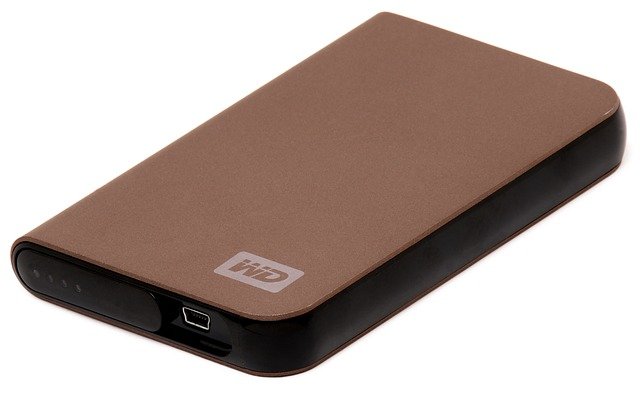
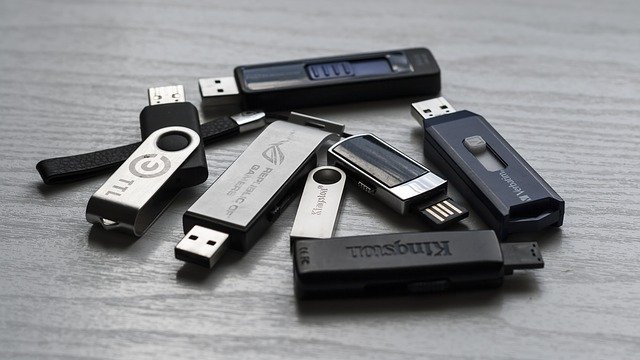
A hardware backup involves placing the data on an external device such as a memory stick or external hard drive, these can be encrypted if you wish, and stored elsewhere (some experts recommend having three copies stored in locations outside the home/business you can read more about that here on the BBC News website). Be warned however that hardware can fail so be sure to check your back ups every once and a while.
Cloud backups are the easiest option and can be used on all devices, however there have been security breaches and people have had data stolen, thankfully these breaches are rare and unless you have only one copy or are storing top secret documents you should have little to worry about. The other thing to consider with a cloud backup is that some of them are free up to a certain limit while the paid for ones give large storage limits and extra features such as enhanced security and scheduled backups.
The hardware using software method can vary in terms of cost as you will need either a memory stick or an external hard drive for it to work. The software you use depends on what you want to backup and whether or not you need additional features and support. Two software options, both free, are Windows built in System Restore, and Macrium Reflect Free.
A more complicated means of hardware backup is known as RAID, this requires multiple hard drives each of which must be connected to the computer at the same time so that if one hard drive fails there are others to take its place, this system primarily protects data against hardware failure as opposed to viruses and is used more by tech savvy users.

Conclusion
For the best results and to make sure you never lose your data, you should use a combination of the above or as suggested in the BBC article, have multiple copies in different locations (e.g. houses of family members). Next you should schedule or set aside time every week/month to do a backup especially if changes have been made, just be aware that it can take time depending on how much data needs to be backed up; this is the primary benefit of cloud backups as they can be run automatically without you having to do anything as long as you are connected to the internet and are within your storage limits.
That concludes this rather long blog post on backing up your data, in the next blog I will be looking at how to put this information into practice. As always if you have questions on this topic or have any suggestions for future blog posts you can email help@techadvice.ie or post a comment below or on Facebook.

